
Skip to content
Hands in work gloves inside an open electrical panel, next to the row of circuit breakers.

BGates GT

The gate opener that opens with a call, with the SIM of your choice.

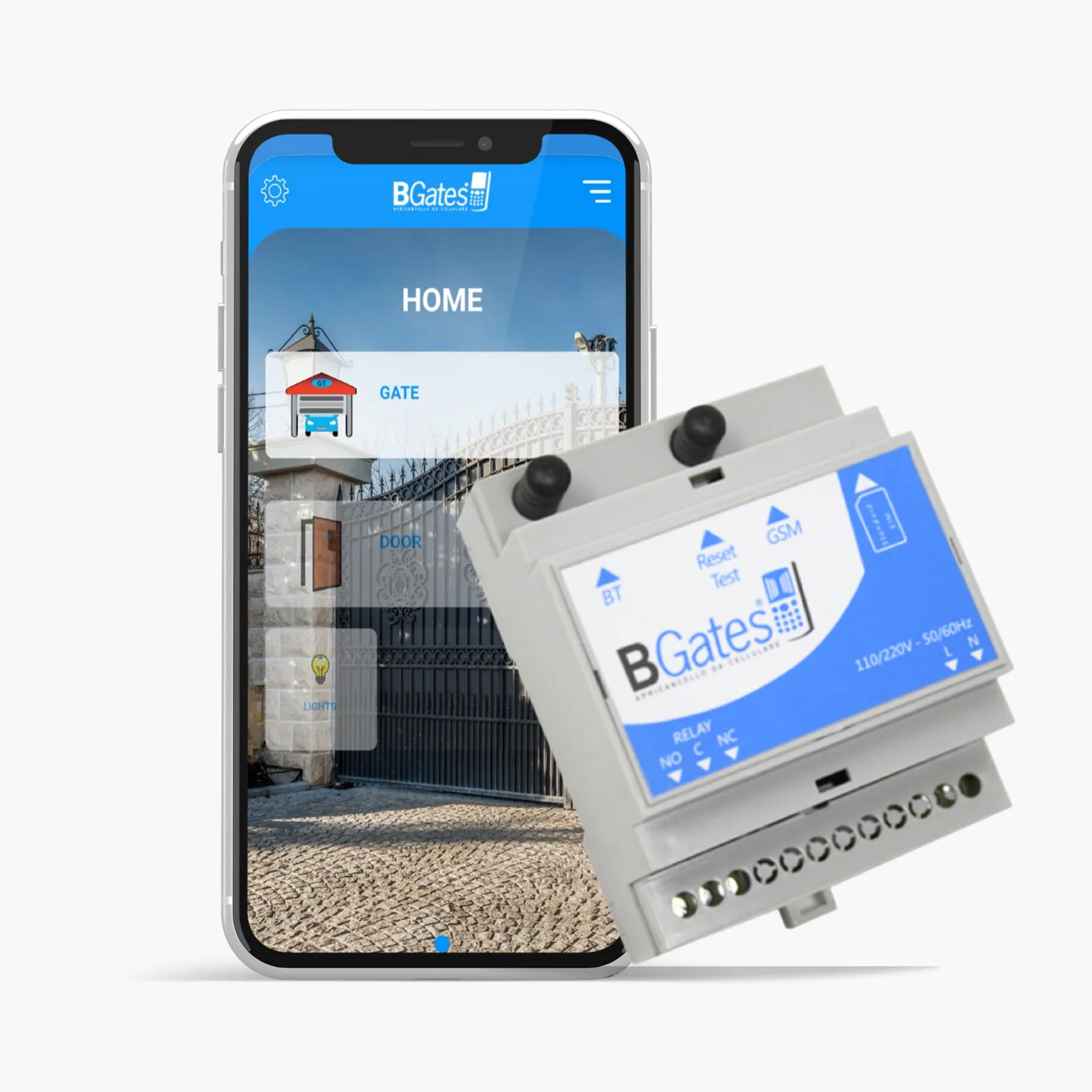
The BGates GT 220 volt module: a white DIN-rail box with a light blue label, the two antenna connectors at the top and the terminal block at the bottom. Next to it, a smartphone showing the app.

The classic

One call, and the gate opens.

BGates GT is mounted in the electrical panel, on DIN rail, and works with the customer’s own SIM. It opens by calling the SIM number from the authorised phone: the call is free, the device recognises the number and switches the relay. It works on the 2G network: see when 2G is switched off in your country.

Numbers are added by text message, with the commands in the manual. To manage them from a computer there is GT Manager (*); to open up close via Bluetooth there is the BGates GT app (*).

Management software

Numbers from your computer

For BGates GT

GT Manager (*)

All your GT modules in one place: enable or disable numbers, add guests with a from-to expiry date, keep all numbers for backup and restore.

How it works: in the Devices menu add your BGates GT, open the device and add the users; then “Send” the list to the device.

What it costs

Communications between the software and the device are paid in GTCoin (€0.20 each); you get 30 free when you register.

Backup
free
Register a BGates GT device
25 GTCoin, one-off per device
Register a user
1 GTCoin
Delete a user
1 GTCoin
Restore (restoring users)
25 GTCoin + 1 GTCoin per user
Delete a device
5 GTCoin

For BGates PRO

Remote

The management software for BGates Business PRO modules: check the device’s backups and logs, with the caller’s number and the date, send custom text messages and much more.

Manuals

All the commands, to download

BGates GT manual

The complete manual, with all the SMS commands. PDF, five languages.

In the other languages:

BGates GT 12-24V manual

Sold out: the manual remains available for those who have already installed it. PDF. For 12/24 V systems there is now BGates AI 4G 12/24 V, board only.

Wiring diagrams

The BGates GT wiring diagrams, one for each use.

Video tutorials

The BGates GT app, step by step

Download the app

BGates GT (*) for iOS and Android

To open up close via Bluetooth. On first launch allow access to Bluetooth, then in the “My systems” menu tap “+” and add the device (factory PIN 0000).

Need help?

Contact support

For any question about your BGates GT, write to info@bgates.it with the device’s serial number.

(*) Paid services, pay-per-use or per user.

Business Gates S.r.l. · P.IVA 05759280968 · Via Ripamonti 44, 20141 Milano · info@bgates.it.