

GSM gate access for apartment buildings
A resident loses their key: do you have to call the installer back to reprogram the system, or do you just remove one line from your phone?
BGates AI 4G is a module that the installer fits in the gate’s electrical panel, with the 4G SIM already inside. From then on, the gate opens with a phone call, or from the app.
1,000
authorised users on each device with Business (extra cost per user), 500 with Smart
SIM
4G included, all over Europe, on the operator with the strongest signal
1 min
to activate it: scan the QR code on the device
With remote controls, a lost key means a call to the installer, reprogramming the system and handing everything out again to everyone. Here the line is that resident’s mobile number: you remove it, the others don’t notice, and nobody has to change anything.
You add, remove and check numbers at any time without calling the installer.
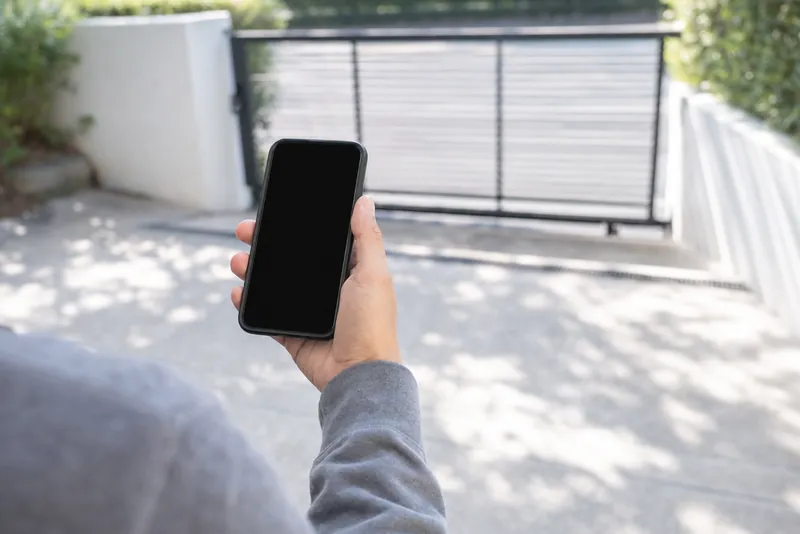
A number removed from your phone, and the gate is what confirms it
The number does not disappear from the list at a simple tap: it disappears when the gate confirms it has removed it. That is the same on the Smart plan and on Business.
Whoever manages the gate does it from their phone, without calling the installer. If the gate is off or has no signal at that moment, the removal stays pending and restarts by itself, with a new attempt every thirty seconds.
Suspending doesn’t mean losing. The «Number active» switch suspends a number without deleting it: the gate stops opening for it, and the line stays ready to reactivate it. To remove it completely, you delete the line.
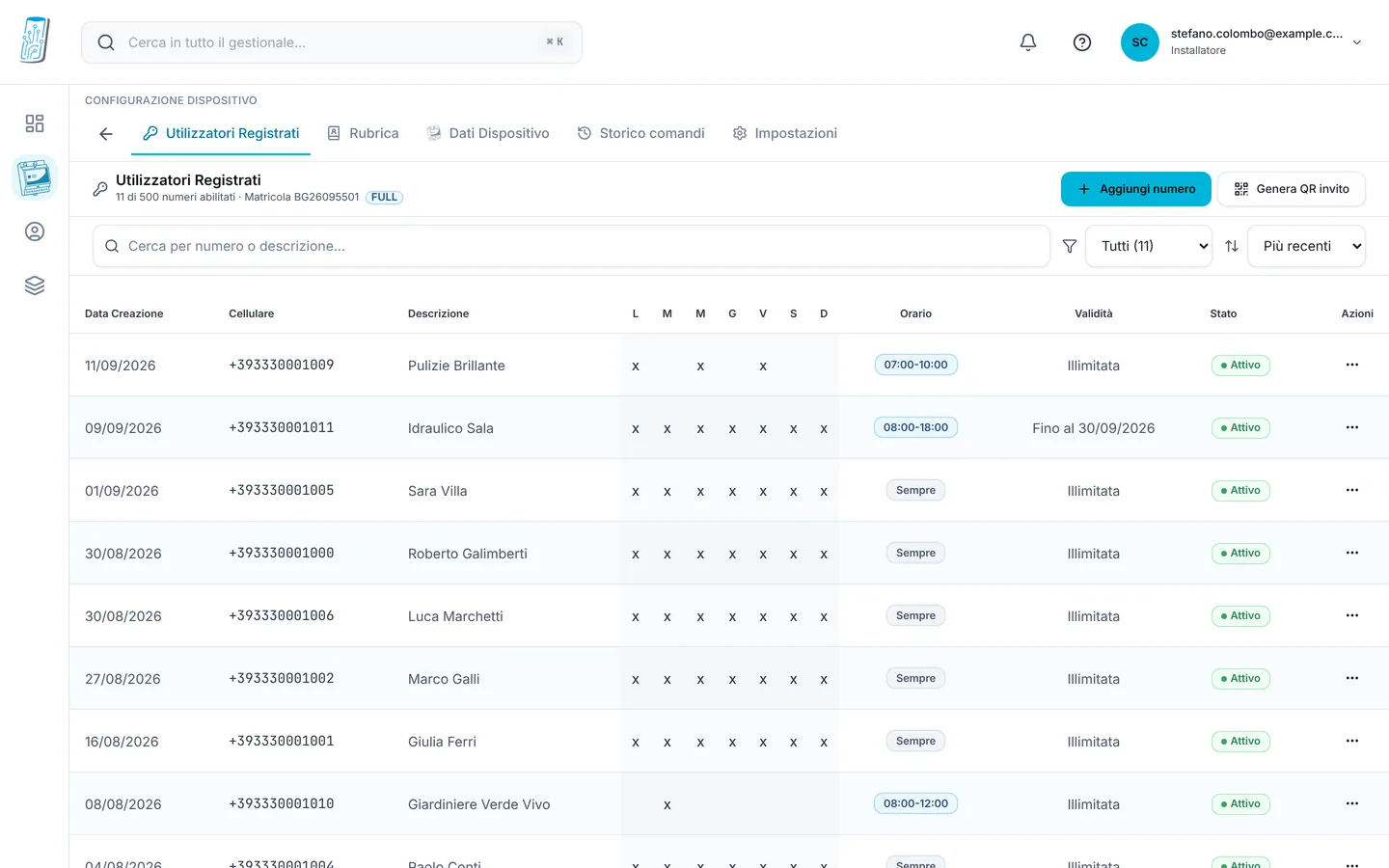
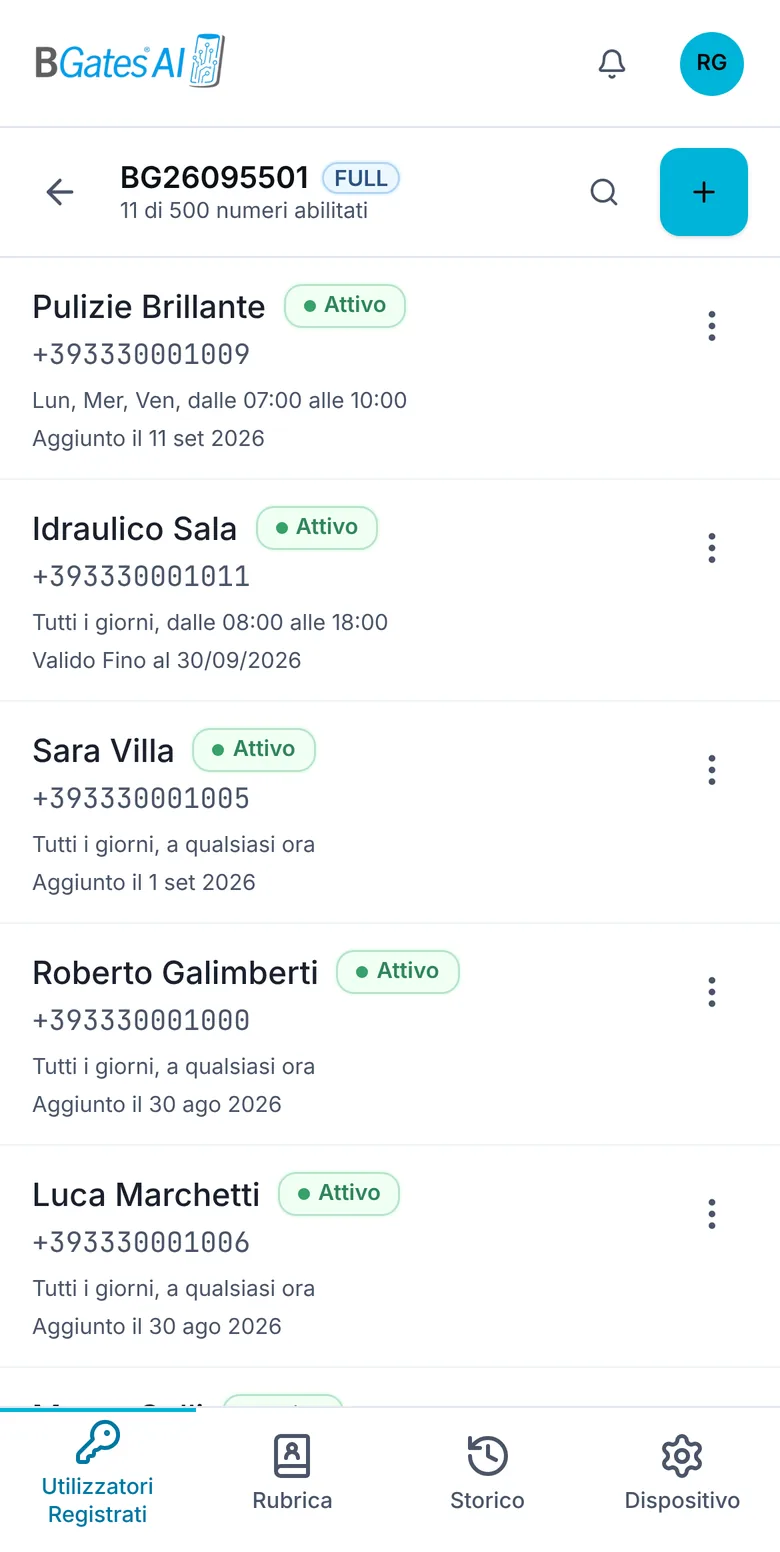
The building’s forty keys become forty lines like these: next to each number, who it is and whether it is active. The building chooses between two plans: Smart, up to 500 numbers per device, or Business, up to 1,000. Days, hours and up to 1,000 numbers belong to the Business plan.
For building managers
Shared gate opener: the questions that come up before the meeting
Lost remotes, tenants who change, people who do not use a smartphone. Short answers, with what the system does and what it does not do.
Remote lost or never returned
A lost remote keeps opening until the installer deletes it from the receiver, and you never know how many copies are around. A phone number you remove yourself from the management app: it stops opening as soon as the gate confirms. Or you suspend it, and reactivate it when needed.
Change of tenant
Whoever leaves: remove their number. Whoever arrives: add theirs, or let them scan the gate QR and approve the request. No remotes to collect and hand out, no appointment with the technician.
People without a smartphone
They open by calling, even from a basic keypad phone. The BGates SIM number is international, though: the phone needs international calls enabled and a little credit. The call is not charged: the device recognises the number, rejects the call and opens. Tell them beforehand, so anyone with calls abroad blocked can ask their operator to enable them.
The remotes stay
BGates connects to the same contact as the remote receiver: whoever has a remote keeps using it. And they must be kept: without power, mobile network or an active SIM the call does not open. That is why we ask whoever manages the gate to keep an alternative: a key, a remote, the manual release.
Driveway, pedestrian gate, main door, garages
One entrance, one device. On the main door it is wired in parallel to the door-release button: a call is like pressing it. With Smart you add the number on each device. Groups, where a number is written once and opens every entrance, belong to Business.
Suppliers, cleaners, removals
With Smart you add their number when needed and remove or suspend it when the job is done: the gate stops opening for them as soon as it confirms. Per-number days and hours belong to Business.
Wiring diagrams are on the technical diagrams page. The alternative means of access is §13 of the conditions for customers and managers (in Italian).
Decision and privacy
The building decides. Only whoever manages it sees the numbers.
When the gate is shared, the building decides in the forms set for its decisions, and the manager carries it out. Which majority is needed to change how an existing gate opens is not for us to say: check with your lawyer.
Numbers and names are on our servers in Germany and we keep them on behalf of the building. The list is seen by whoever manages the gate: a resident sees their own gate, not the list of the others. The opening log exists only with the Business plan; where it exists, only whoever manages the gate sees it, and it is not posted up nor attached to the minutes.
Consent is not collected: people are informed. We provide the text: it arrives with the invitation to each enabled person and is always available online. In a shared building a notice must also be posted where residents can read it.
It is all written in the conditions for customers and managers, §4, 6.2, 7 and 15 (in Italian).
Gate access for apartment buildings: questions and answers
The ones that come up at residents’ meetings, with the short answer.
- With remote controls every new tenant is one more remote and every lost key is a call to the installer. Here you pay for the device, €69 incl. VAT, one per entrance, plus the SIM. The Smart plan costs €3.99 a month incl. VAT paid yearly, with €9.99 activation, up to 500 numbers. Business, with time slots, the opening log and up to 1,000 numbers, costs €6.99 a month + VAT paid yearly, plus €29.99 + VAT activation. The electrical installation is separate, in the quote.
- The building chooses. With Smart: up to 500 numbers per device, opening by call and from the app, WhatsApp invitation, the gate QR with requests to approve, and numbers you add, remove or suspend from your phone. Business adds time slots, end dates, the opening log, groups and up to 1,000 numbers.
- When the gate is shared, the building decides, in the forms set for its decisions, and the manager carries it out: it is written in our conditions for customers and managers. Which majority is needed to change how an existing gate opens: check with your lawyer.
- Yes. BGates connects to the same contact as the remote receiver, and whoever has a remote keeps using it. In fact they should be kept: a call needs power, mobile network and an active SIM, and our conditions ask whoever manages the gate to keep an alternative way to open it: a key, a remote or the manual release.
- By calling the gate’s number, even from a basic keypad phone. The BGates SIM number is international: the phone needs international calls enabled and a little credit. The credit is not used: the device recognises the number, rejects the call and opens, so the call is not charged. Anyone with international calls blocked has to ask their operator to enable them.
- For the remote you still need the installer, who deletes it from the receiver. For people who open by phone you do it yourself: if they lose their phone or change number, you delete the line in the management app or suspend it with the «Number active» switch, and the gate stops opening for them as soon as it confirms.
- With the Smart plan, up to 500 numbers per device. One entrance, one device: two gates need two modules, each with its own SIM, and the number is added on each. Up to 1,000 numbers (extra cost per user) and groups, where you enter a number once and it opens every entrance, belong to Business.
- In the management software you delete the row with their number: nobody else notices and nobody has to change anything. The number leaves the list when the gate confirms it has removed it; if the gate is off or has no signal at that moment, the removal retries by itself every thirty seconds. To suspend a number without deleting it there’s the «Number active» switch.
- Installation is a job for an electrician, done once: the module goes on a DIN rail, on the same contact the remote-control receiver uses today. After that you handle tenant changes from your phone: remove one number, add another, with no appointments and no call-outs.
- No. You can put up the gate’s QR code in the lobby: whoever scans it requests access with their name and number, and you approve or refuse from the management software; the QR code alone opens nothing. If you already know the number, you add it yourself from your phone.
- With the Smart plan, you cannot set hours: the cleaning company’s number opens as long as it is active. You suspend or remove it from your phone with one tap, and the gate stops opening for them as soon as it confirms. Per-number days and time slots belong to the Business plan.
- It depends on the network it uses. A module that opens over 2G or 3G stops opening by call when that network is switched off; for 2G in Italy, no operator has announced a date yet. BGates AI 4G runs on 4G with VoLTE, has the SIM already inside and usually fits on the same entrance as the old module. The operator-by-operator picture is on the page about the 2G switch-off.
- In some Italian cities key boxes are banned on building entrances too. In Milan the ban also covers private structures facing public land, such as a building’s entrance (Il Post, 5 December 2025). In Florence fines have applied since 25 February 2025, and only one keypad per building is allowed, with the building’s authorisation. Outside Italy, check the rules of your city. With BGates the guest opens the gate or main door by calling from their own number, if the building decides so. The apartment door stays out, and the host must still identify the guest. City by city, with sources, on the page about key box bans.
- Numbers and names are on our servers in Germany, and we keep them on behalf of the building. The list is visible to whoever manages the device; a resident sees their own gate, not the list of the others. The notice to give to authorised people is at app.bgates.it/informativa-utilizzatori; in a shared building a notice must be posted to inform residents, and consent is not collected. The opening log exists only with the Business plan: it stays readable for 12 months, then loses names and numbers, and it is not shown to residents.
How many entrances does the building have, and how much does the system cost?
If you prefer, we’ll send you a written quote.
The screens are examples: they reproduce the real application with names and numbers replaced. Per-person time slots, end dates and the on-screen log are part of the Business plan. Prices are those on the prices page; the electrical installation is not included.
Business Gates S.r.l. · P.IVA 05759280968 · Via Ripamonti 44, 20141 Milano · info@bgates.it · since 2007.